<?xml version="1.0" encoding="utf-8"?><feed xmlns="http://www.w3.org/2005/Atom" ><generator uri="https://jekyllrb.com/" version="3.10.0">Jekyll</generator><link href="https://blog.artezchapman.com/feed.xml" rel="self" type="application/atom+xml" /><link href="https://blog.artezchapman.com/" rel="alternate" type="text/html" /><updated>2025-10-15T21:22:18+00:00</updated><id>https://blog.artezchapman.com/feed.xml</id><title type="html">Artez Chapman’s Blog</title><subtitle>Cloud, DevOps, and Infrastructure Learning</subtitle><author><name>Artez Chapman</name></author><entry><title type="html">Building a DevOps Homelab Part 2: Homepage Dashboard - Building, Breaking, Deploying</title><link href="https://blog.artezchapman.com/homelab/docker/infrastructure/2025/10/13/homelab-homepage-dashboard/" rel="alternate" type="text/html" title="Building a DevOps Homelab Part 2: Homepage Dashboard - Building, Breaking, Deploying" /><published>2025-10-13T00:00:00+00:00</published><updated>2025-10-13T00:00:00+00:00</updated><id>https://blog.artezchapman.com/homelab/docker/infrastructure/2025/10/13/homelab-homepage-dashboard</id><content type="html" xml:base="https://blog.artezchapman.com/homelab/docker/infrastructure/2025/10/13/homelab-homepage-dashboard/"><![CDATA[<p>With Portainer running, I needed a dashboard. I’m not remembering five different IP addresses and port combinations every time I want to check something.</p>

<p>Homepage seemed like the right tool - customizable, has system monitoring built in, integrates with Docker. Should be simple, right?</p>

<p>It wasn’t.</p>

<h2 id="why-homepage">Why Homepage?</h2>

<p>I had Portainer for container management. Plans to add Nginx, Grafana, PostgreSQL. Keeping track of everything across different ports was already getting annoying.</p>

<p>Homepage does what I need: service cards, system stats, Docker integration. Heimdall and Dashy exist, but Homepage’s monitoring capabilities made more sense for infrastructure work.</p>

<h2 id="initial-deployment">Initial Deployment</h2>

<p>Checked that Portainer was still up, then created the compose file for Homepage.</p>

<p><code class="language-plaintext highlighter-rouge">~/docker/homepage/docker-compose.yml</code>:</p>

<div class="language-yaml highlighter-rouge"><div class="highlight"><pre class="highlight"><code><span class="na">version</span><span class="pi">:</span> <span class="s1">'</span><span class="s">3.8'</span>

<span class="na">services</span><span class="pi">:</span>
  <span class="na">homepage</span><span class="pi">:</span>
    <span class="na">image</span><span class="pi">:</span> <span class="s">ghcr.io/gethomepage/homepage:latest</span>
    <span class="na">container_name</span><span class="pi">:</span> <span class="s">homepage</span>
    <span class="na">restart</span><span class="pi">:</span> <span class="s">unless-stopped</span>
    <span class="na">ports</span><span class="pi">:</span>
      <span class="pi">-</span> <span class="s2">"</span><span class="s">3000:3000"</span>
    <span class="na">volumes</span><span class="pi">:</span>
      <span class="pi">-</span> <span class="s">./config:/app/config</span>
      <span class="pi">-</span> <span class="s">/var/run/docker.sock:/var/run/docker.sock:ro</span>
    <span class="na">environment</span><span class="pi">:</span>
      <span class="pi">-</span> <span class="s">HOMEPAGE_ALLOWED_HOSTS=192.168.1.*</span>
</code></pre></div></div>

<p>Spun it up:</p>

<div class="language-bash highlighter-rouge"><div class="highlight"><pre class="highlight"><code><span class="nb">cd</span> ~/docker/homepage
docker compose up <span class="nt">-d</span>
</code></pre></div></div>

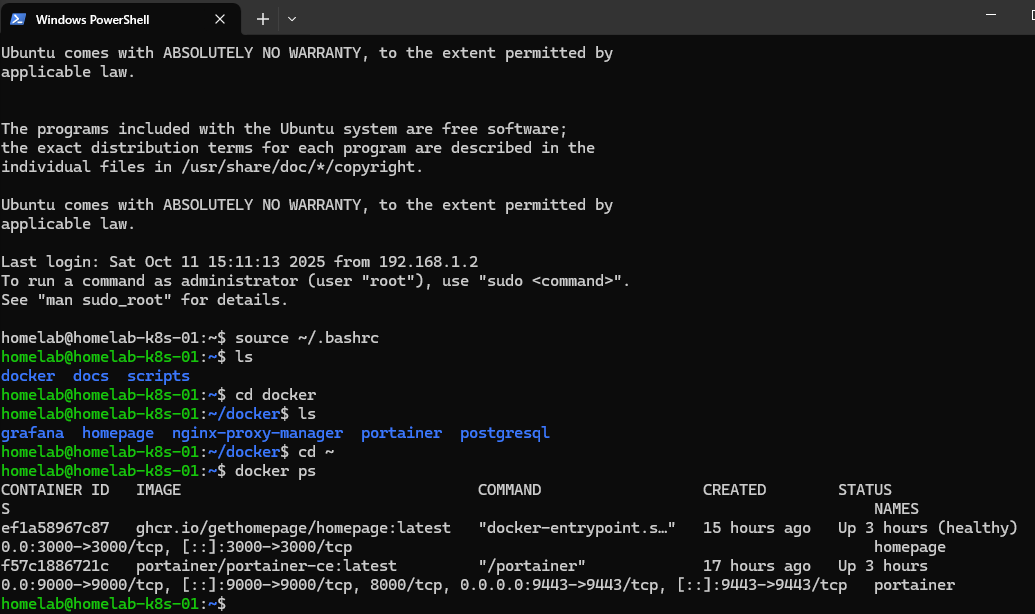
<p><img src="/assets/images/homelab-part-2/containers-running.png" alt="Containers Running" />
<em>Both containers running</em></p>

<p>Both containers running. Opened <code class="language-plaintext highlighter-rouge">http://192.168.1.19:3000</code>.</p>

<h2 id="problem-1-no-config-files">Problem 1: No Config Files</h2>

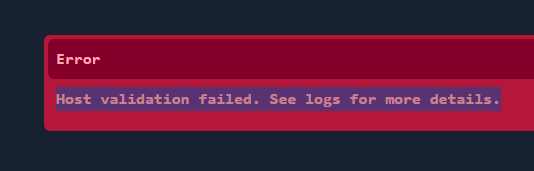
<p>Container started fine. Dashboard threw an error.</p>

<p><img src="/assets/images/homelab-part-2/homepage-error.png" alt="Homepage Error" />
<em>Missing configuration error</em></p>

<p>The message was actually helpful - Homepage needs config files to know what to display. It wasn’t broken, just empty.</p>

<h2 id="building-the-config">Building the Config</h2>

<p>Homepage needs three YAML files:</p>

<ul>
  <li><code class="language-plaintext highlighter-rouge">settings.yaml</code> - dashboard settings</li>
  <li><code class="language-plaintext highlighter-rouge">services.yaml</code> - what services to show</li>
  <li><code class="language-plaintext highlighter-rouge">widgets.yaml</code> - system monitoring</li>
</ul>

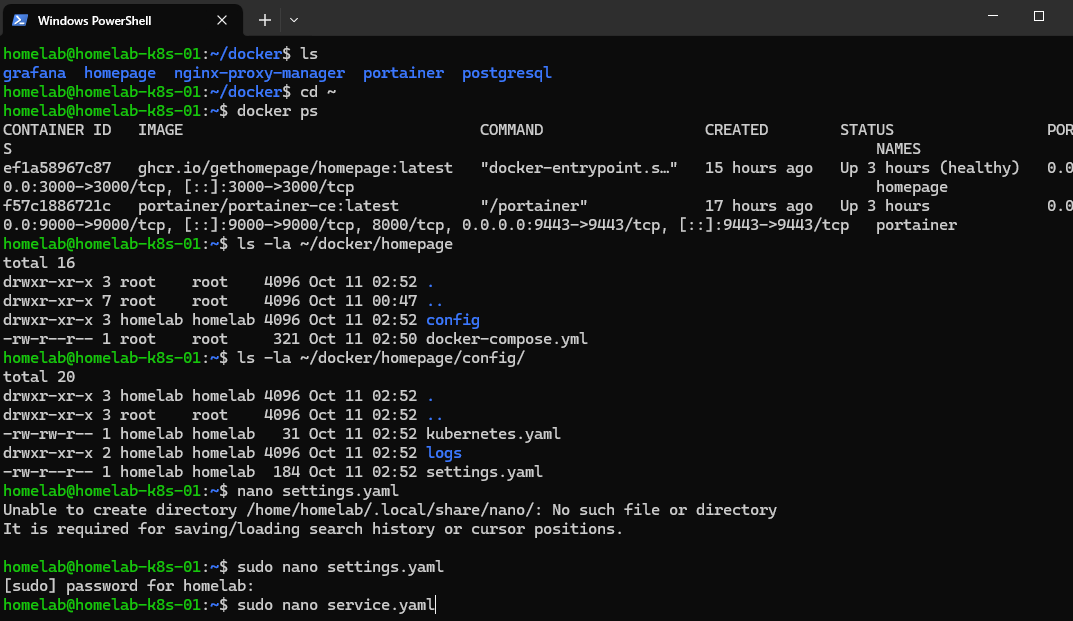
<p>Created the directory:</p>

<div class="language-bash highlighter-rouge"><div class="highlight"><pre class="highlight"><code><span class="nb">mkdir</span> <span class="nt">-p</span> ~/docker/homepage/config
<span class="nb">cd</span> ~/docker/homepage/config
</code></pre></div></div>

<p><img src="/assets/images/homelab-part-2/creating-config-files.png" alt="Creating Config Files" />
<em>Setting up config directory</em></p>

<h3 id="settings">Settings</h3>

<p><code class="language-plaintext highlighter-rouge">settings.yaml</code> - kept it simple:</p>

<div class="language-yaml highlighter-rouge"><div class="highlight"><pre class="highlight"><code><span class="na">title</span><span class="pi">:</span> <span class="s">Homelab Dashboard</span>
<span class="na">background</span><span class="pi">:</span> <span class="s">https://images.unsplash.com/photo-1451187580459-43490279c0fa?w=1920</span>

<span class="na">layout</span><span class="pi">:</span>
  <span class="na">Containers</span><span class="pi">:</span>
    <span class="na">style</span><span class="pi">:</span> <span class="s">row</span>
    <span class="na">columns</span><span class="pi">:</span> <span class="m">3</span>
</code></pre></div></div>

<h3 id="services">Services</h3>

<p><code class="language-plaintext highlighter-rouge">services.yaml</code> - defined the service cards:</p>

<div class="language-yaml highlighter-rouge"><div class="highlight"><pre class="highlight"><code><span class="nn">---</span>
<span class="pi">-</span> <span class="na">Containers</span><span class="pi">:</span>
    <span class="pi">-</span> <span class="na">Portainer</span><span class="pi">:</span>
        <span class="na">icon</span><span class="pi">:</span> <span class="s">portainer.png</span>
        <span class="na">href</span><span class="pi">:</span> <span class="s">http://192.168.1.19:9000</span>
        <span class="na">description</span><span class="pi">:</span> <span class="s">Docker Management UI</span>

    <span class="pi">-</span> <span class="na">Homepage</span><span class="pi">:</span>
        <span class="na">icon</span><span class="pi">:</span> <span class="s">homepage.png</span>
        <span class="na">href</span><span class="pi">:</span> <span class="s">http://192.168.1.19:3000</span>
        <span class="na">description</span><span class="pi">:</span> <span class="s">This Dashboard</span>
</code></pre></div></div>

<h3 id="widgets">Widgets</h3>

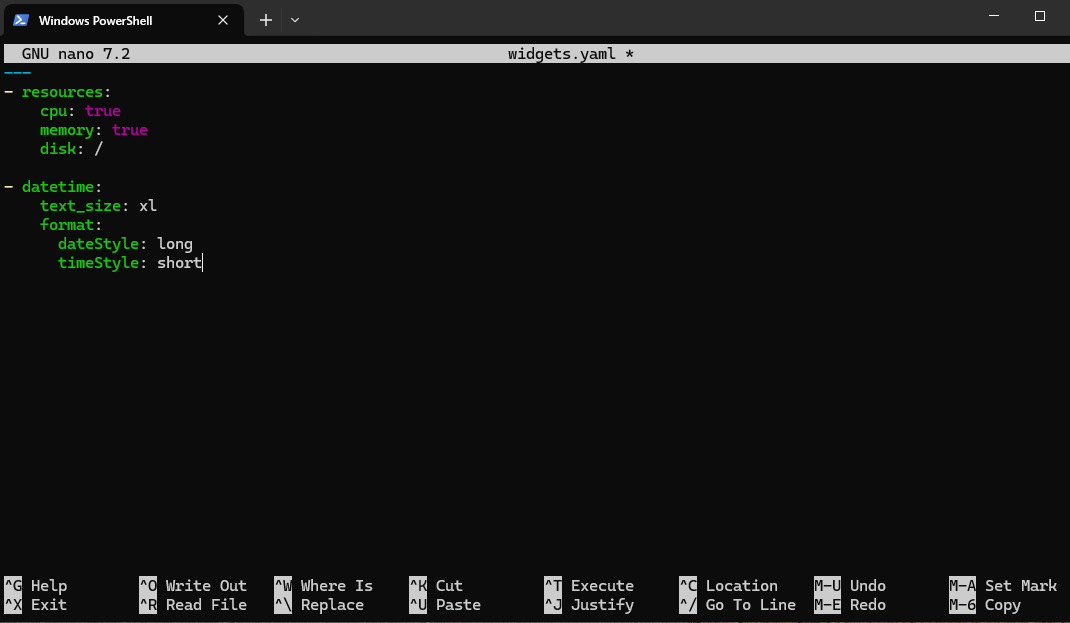
<p><code class="language-plaintext highlighter-rouge">widgets.yaml</code> - system stats:</p>

<div class="language-yaml highlighter-rouge"><div class="highlight"><pre class="highlight"><code><span class="nn">---</span>
<span class="pi">-</span> <span class="na">resources</span><span class="pi">:</span>
    <span class="na">cpu</span><span class="pi">:</span> <span class="no">true</span>
    <span class="na">memory</span><span class="pi">:</span> <span class="no">true</span>
    <span class="na">disk</span><span class="pi">:</span> <span class="s">/</span>

<span class="pi">-</span> <span class="na">datetime</span><span class="pi">:</span>
    <span class="na">text_size</span><span class="pi">:</span> <span class="s">xl</span>
    <span class="na">format</span><span class="pi">:</span>
      <span class="na">dateStyle</span><span class="pi">:</span> <span class="s">long</span>
      <span class="na">timeStyle</span><span class="pi">:</span> <span class="s">short</span>
</code></pre></div></div>

<p><img src="/assets/images/homelab-part-2/creating-widgets.png" alt="Creating Widgets" />
<em>System monitoring widgets</em></p>

<h2 id="problem-2-container-didnt-care">Problem 2: Container Didn’t Care</h2>

<p>Config files were there. Refreshed the browser. Same error.</p>

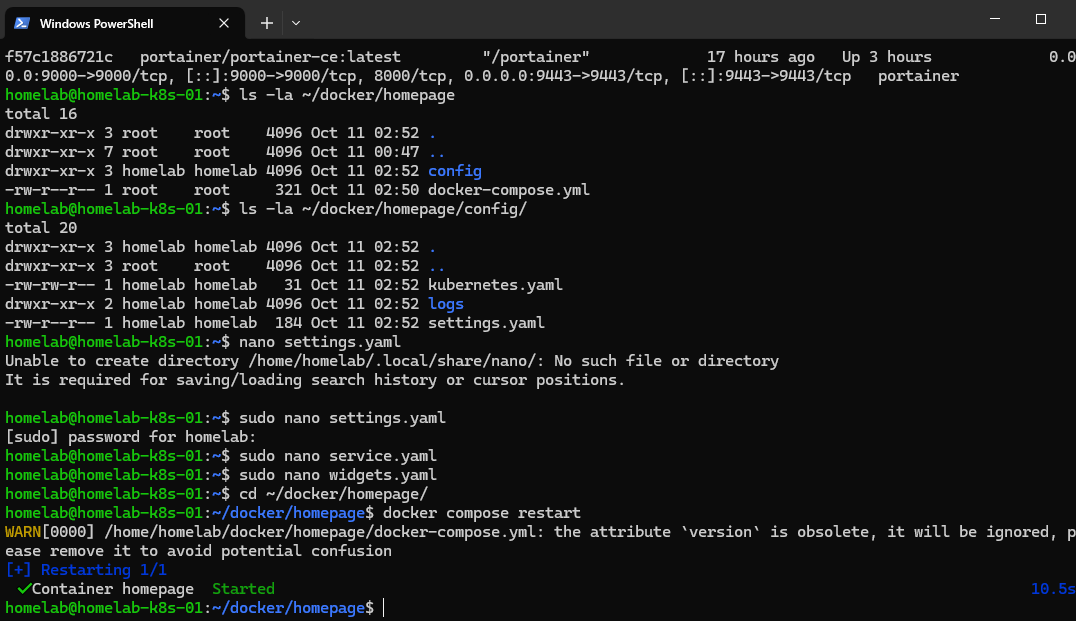
<p>The container was already running when I added the files. It needed a kick.</p>

<div class="language-bash highlighter-rouge"><div class="highlight"><pre class="highlight"><code>docker compose restart
</code></pre></div></div>

<p><img src="/assets/images/homelab-part-2/restarting-container.png" alt="Restarting Container" />
<em>Restarting to load config</em></p>

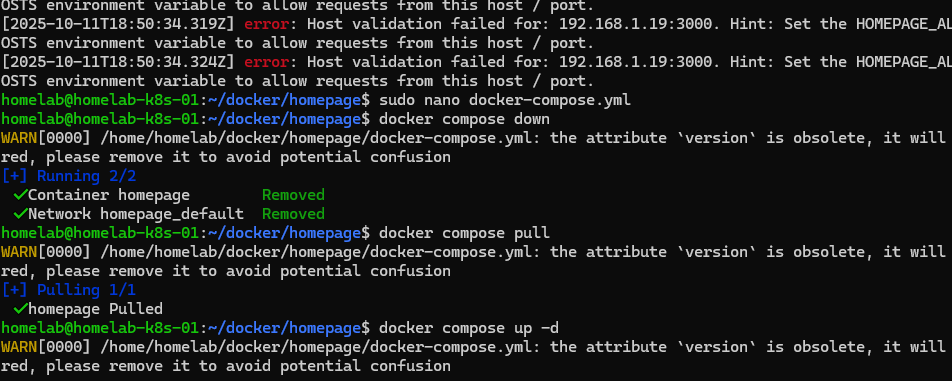
<p>Refreshed again. Different error. Progress, but still broken.</p>

<p><img src="/assets/images/homelab-part-2/still-error.png" alt="Still Error" />
<em>Different error after restart</em></p>

<h2 id="debugging-yaml">Debugging YAML</h2>

<p>Error pointed to syntax issues. YAML is picky about indentation - spaces vs tabs, nesting, structure.</p>

<p>Went through each file:</p>
<ul>
  <li>Check indentation (spaces only)</li>
  <li>Verify nesting</li>
  <li>Match documentation examples</li>
</ul>

<p>Found it - <code class="language-plaintext highlighter-rouge">services.yaml</code> had inconsistent spacing. Fixed it, tried again.</p>

<div class="language-bash highlighter-rouge"><div class="highlight"><pre class="highlight"><code>docker compose down
docker compose up <span class="nt">-d</span>
</code></pre></div></div>

<p><img src="/assets/images/homelab-part-2/multiple-restarts.png" alt="Multiple Restarts" />
<em>Multiple restarts during troubleshooting</em></p>

<p>Multiple restarts. Each time hoping this would be the one.</p>

<h2 id="it-worked">It Worked</h2>

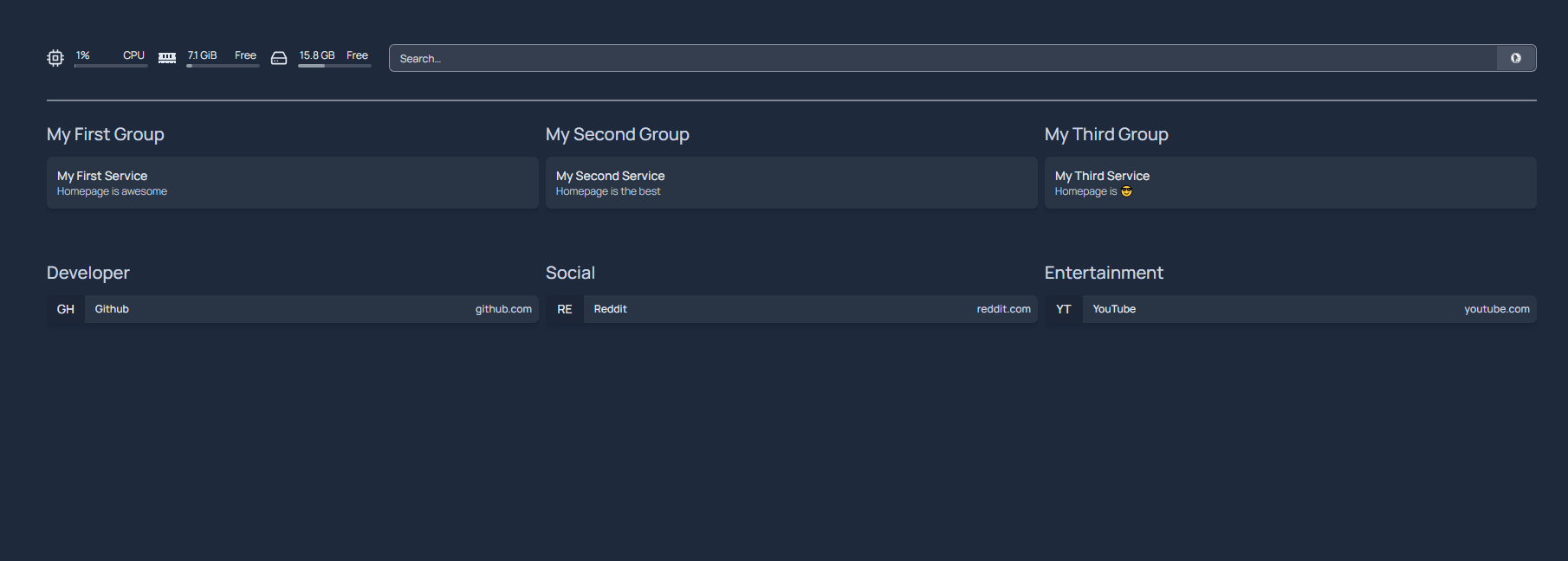
<p>After the third or fourth restart, the dashboard loaded.</p>

<p><img src="/assets/images/homelab-part-2/homepage-working.png" alt="Homepage Working" />
<em>Dashboard finally loading</em></p>

<p>Clean interface, both services showing, system stats visible. Worth the troubleshooting.</p>

<h2 id="adding-the-rest">Adding the Rest</h2>

<p>With Homepage working, I deployed the other services. Nginx Proxy Manager for reverse proxy, Grafana for monitoring, PostgreSQL for database work.</p>

<p>Updated <code class="language-plaintext highlighter-rouge">services.yaml</code> after each deployment:</p>

<div class="language-yaml highlighter-rouge"><div class="highlight"><pre class="highlight"><code><span class="nn">---</span>
<span class="pi">-</span> <span class="na">Containers</span><span class="pi">:</span>
    <span class="pi">-</span> <span class="na">Portainer</span><span class="pi">:</span>
        <span class="na">icon</span><span class="pi">:</span> <span class="s">portainer.png</span>
        <span class="na">href</span><span class="pi">:</span> <span class="s">http://192.168.1.19:9000</span>
        <span class="na">description</span><span class="pi">:</span> <span class="s">Docker Management UI</span>

    <span class="pi">-</span> <span class="na">Homepage</span><span class="pi">:</span>
        <span class="na">icon</span><span class="pi">:</span> <span class="s">homepage.png</span>
        <span class="na">href</span><span class="pi">:</span> <span class="s">http://192.168.1.19:3000</span>
        <span class="na">description</span><span class="pi">:</span> <span class="s">This Dashboard</span>

    <span class="pi">-</span> <span class="na">Nginx Proxy Manager</span><span class="pi">:</span>
        <span class="na">icon</span><span class="pi">:</span> <span class="s">nginx-proxy-manager.png</span>
        <span class="na">href</span><span class="pi">:</span> <span class="s">http://192.168.1.19:81</span>
        <span class="na">description</span><span class="pi">:</span> <span class="s">Reverse Proxy &amp; SSL</span>

    <span class="pi">-</span> <span class="na">Grafana</span><span class="pi">:</span>
        <span class="na">icon</span><span class="pi">:</span> <span class="s">grafana.png</span>
        <span class="na">href</span><span class="pi">:</span> <span class="s">http://192.168.1.19:3001</span>
        <span class="na">description</span><span class="pi">:</span> <span class="s">Monitoring &amp; Visualization</span>

    <span class="pi">-</span> <span class="na">PostgreSQL</span><span class="pi">:</span>
        <span class="na">icon</span><span class="pi">:</span> <span class="s">postgres.png</span>
        <span class="na">description</span><span class="pi">:</span> <span class="s">Database Server</span>
        
<span class="pi">-</span> <span class="na">Links</span><span class="pi">:</span>
    <span class="pi">-</span> <span class="na">GitHub</span><span class="pi">:</span>
        <span class="na">icon</span><span class="pi">:</span> <span class="s">github.png</span>
        <span class="na">href</span><span class="pi">:</span> <span class="s">https://github.com/artezchapman/docker-homelab</span>
        <span class="na">description</span><span class="pi">:</span> <span class="s">Homelab Code</span>
        
    <span class="pi">-</span> <span class="na">Blog</span><span class="pi">:</span>
        <span class="na">icon</span><span class="pi">:</span> <span class="s">web.png</span>
        <span class="na">href</span><span class="pi">:</span> <span class="s">https://blog.artezchapman.com</span>
        <span class="na">description</span><span class="pi">:</span> <span class="s">Technical Blog</span>
</code></pre></div></div>

<p>Process for each:</p>
<ol>
  <li>Deploy container</li>
  <li>Add to services.yaml</li>
  <li>Restart Homepage</li>
  <li>Verify card shows up</li>
</ol>

<p><img src="/assets/images/homelab-part-2/final-dashboard.png" alt="Final Dashboard" />
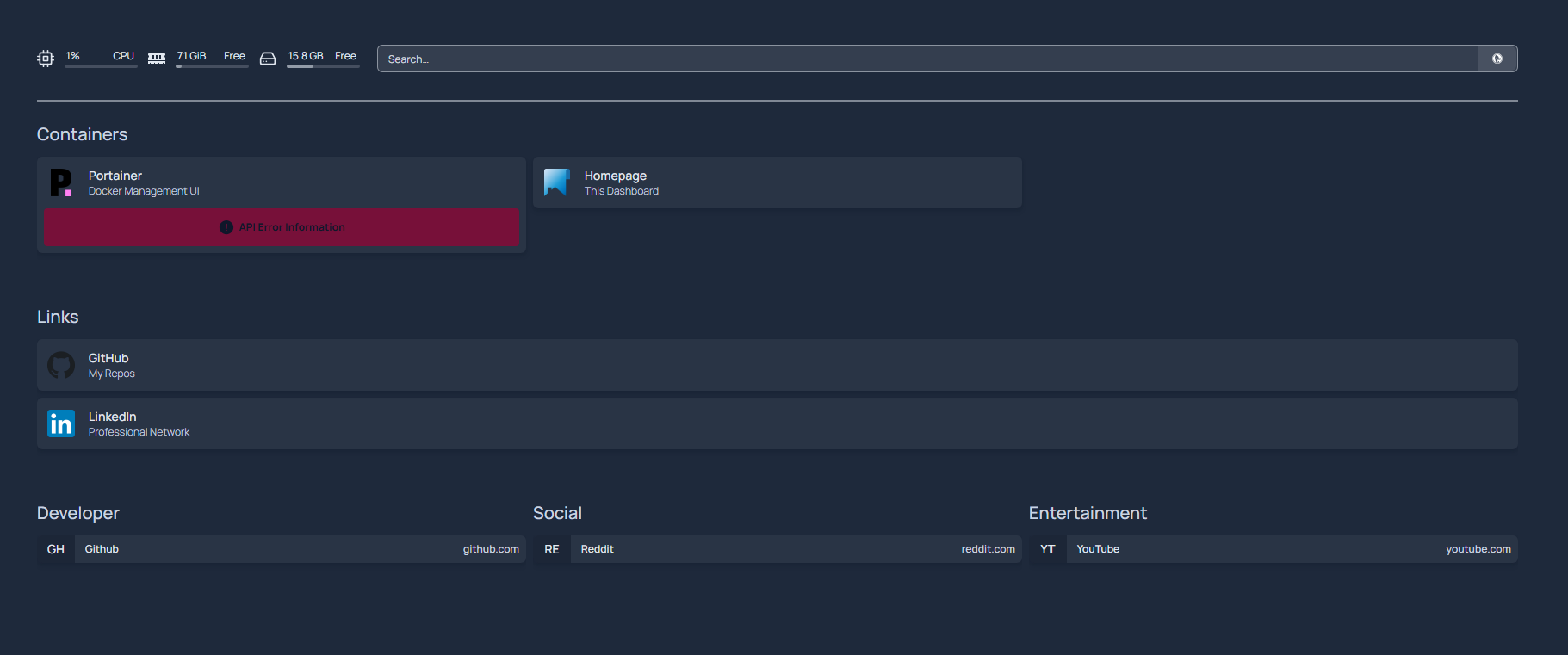
<em>All five services on the dashboard</em></p>

<p>Five services, all managed from one dashboard.</p>

<h2 id="what-i-learned">What I Learned</h2>

<p><strong>Configuration as code works.</strong> Those three YAML files define everything. Version control them, back them up, deploy the exact setup elsewhere in minutes.</p>

<p><strong>Errors teach more than docs.</strong> Reading about YAML structure is one thing. Debugging your own syntax errors actually teaches you how it works.</p>

<p><strong>Fast iteration matters.</strong> Container restarts take seconds. Made troubleshooting tolerable instead of painful.</p>

<p><strong>System monitoring isn’t optional.</strong> CPU, RAM, and disk stats visible on the dashboard made it immediately useful beyond just a link page.</p>

<h2 id="current-setup">Current Setup</h2>

<p>The homelab structure:</p>

<div class="language-plaintext highlighter-rouge"><div class="highlight"><pre class="highlight"><code>~/docker/
├── portainer/
│   └── docker-compose.yml
├── homepage/
│   ├── docker-compose.yml
│   └── config/
│       ├── services.yaml
│       ├── settings.yaml
│       └── widgets.yaml
├── nginx-proxy-manager/
│   └── docker-compose.yml
├── grafana/
│   └── docker-compose.yml
└── postgresql/
    └── docker-compose.yml
</code></pre></div></div>

<p>Each service isolated. Start, stop, rebuild one without touching the others.</p>

<h2 id="whats-next">What’s Next</h2>

<p>Foundation’s solid. Five services running, accessible through one dashboard.</p>

<p>Next: setting up Nginx for reverse proxy, building Grafana dashboards, connecting PostgreSQL. Making everything work together instead of just existing in parallel.</p>

<p>Real learning happens when things break and you have to fix them. Theory gets you started. Building and troubleshooting actually teaches you how infrastructure works.</p>

<p><strong>Code:</strong> <a href="https://github.com/artezchapman/docker-homelab">github.com/artezchapman/docker-homelab</a></p>

<hr />

<p><strong>Part 3</strong> coming soon: Nginx reverse proxy, Grafana monitoring, and making all services work together.</p>

<hr />

<p><em>Questions? Find me on <a href="https://linkedin.com/in/artezchapman">LinkedIn</a> or <a href="https://github.com/artezchapman/docker-homelab">GitHub</a>.</em></p>]]></content><author><name>Artez Chapman</name></author><category term="homelab" /><category term="docker" /><category term="infrastructure" /><summary type="html"><![CDATA[With Portainer running, I needed a dashboard. I’m not remembering five different IP addresses and port combinations every time I want to check something.]]></summary></entry><entry><title type="html">Building a DevOps Homelab: Foundation and First Container</title><link href="https://blog.artezchapman.com/homelab/docker/infrastructure/2025/10/12/homelab-foundation-first-container/" rel="alternate" type="text/html" title="Building a DevOps Homelab: Foundation and First Container" /><published>2025-10-12T00:00:00+00:00</published><updated>2025-10-12T00:00:00+00:00</updated><id>https://blog.artezchapman.com/homelab/docker/infrastructure/2025/10/12/homelab-foundation-first-container</id><content type="html" xml:base="https://blog.artezchapman.com/homelab/docker/infrastructure/2025/10/12/homelab-foundation-first-container/"><![CDATA[<p>After seven years at Charter Communications, I got my first real exposure to cloud infrastructure and the services that power enterprise operations. Watching how deployed services scaled, how infrastructure was managed, and how monitoring kept everything running sparked something.</p>

<p>The idea of building my own personal network accessible from anywhere has always intrigued me. Rather than relying on paid services and passing my data through multiple companies, the concept of self-hosting appealed to me. Full control, no subscriptions, and a hands-on way to learn production-grade infrastructure.</p>

<p>This homelab is about understanding how modern infrastructure actually works: containerization, infrastructure as code, monitoring, and security practices that translate to real-world environments.</p>

<h2 id="hardware-working-with-what-i-have">Hardware: Working With What I Have</h2>

<p>My current workstation (Intel i9-10900K, 64GB RAM) has enough resources to run virtual environments for testing infrastructure concepts before committing to dedicated hardware.</p>

<p><strong>Why start with virtualization?</strong></p>
<ul>
  <li>Test different infrastructure buildouts risk-free</li>
  <li>Snapshots for easy recovery when experiments break</li>
  <li>Can destroy and rebuild quickly to try new approaches</li>
  <li>Simulates real cloud infrastructure</li>
  <li>Easy to scale up to multiple VMs for future Kubernetes clusters</li>
</ul>

<p>Eventually, I plan to move to dedicated bare metal hardware for 24/7 hosting, but VMs let me validate the architecture first.</p>

<p><strong>VM Specifications:</strong></p>
<ul>
  <li>Ubuntu Server 24.04 LTS</li>
  <li>8GB RAM</li>
  <li>4 CPU cores</li>
  <li>50GB storage</li>
  <li>Bridged network adapter</li>
</ul>

<h2 id="ubuntu-server-setup">Ubuntu Server Setup</h2>

<p>I chose Ubuntu Server over Desktop for one simple reason: it’s what’s used in production. No GUI, no unnecessary packages, just a clean server environment I’d manage entirely through SSH.</p>

<p>The installation was straightforward - select language, configure network, partition the disk, create a user account, and enable OpenSSH server during installation.</p>

<p>Once the VM was up, I SSH’d in from my Windows machine using Windows Terminal:</p>

<div class="language-bash highlighter-rouge"><div class="highlight"><pre class="highlight"><code>ssh homelab@192.168.1.19
</code></pre></div></div>

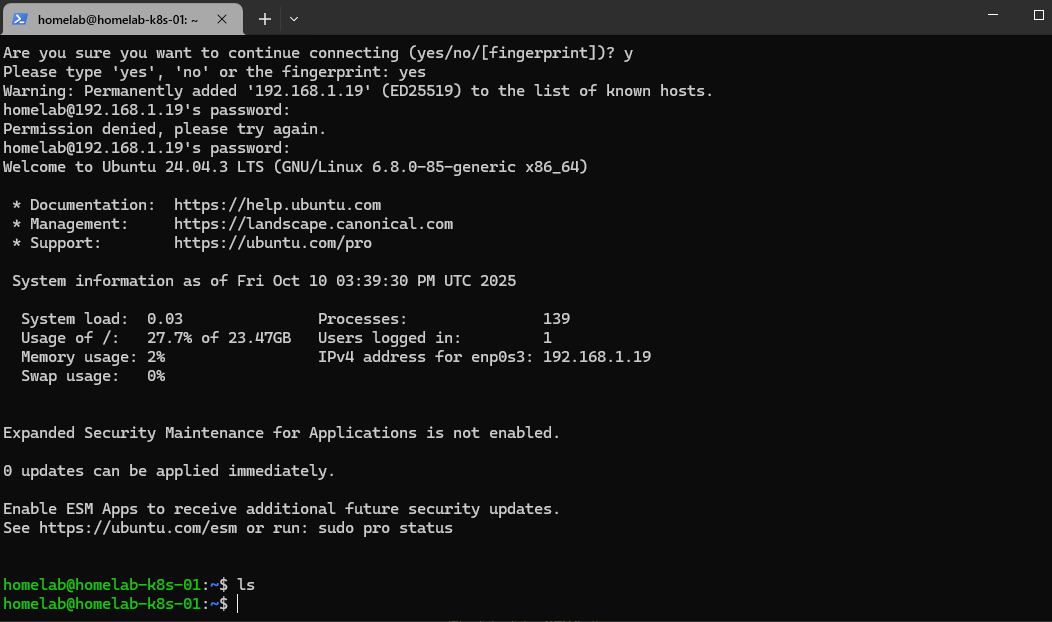
<p><img src="/assets/images/homelab-part-1/ssh-connection.png" alt="SSH Connection" />
<em>Successful SSH connection to the Ubuntu Server VM</em></p>
<p>Getting that SSH connection working felt like the first real milestone. This VM was now a proper remote server I could manage from anywhere on my network.</p>

<h2 id="installing-docker">Installing Docker</h2>

<p>With the base system ready, it was time to install Docker - the foundation of everything I’d build.</p>

<div class="language-bash highlighter-rouge"><div class="highlight"><pre class="highlight"><code><span class="c"># Update package index</span>
<span class="nb">sudo </span>apt update <span class="o">&amp;&amp;</span> <span class="nb">sudo </span>apt upgrade <span class="nt">-y</span>

<span class="c"># Install Docker</span>
curl <span class="nt">-fsSL</span> https://get.docker.com <span class="nt">-o</span> get-docker.sh
<span class="nb">sudo </span>sh get-docker.sh

<span class="c"># Add user to docker group (avoid sudo for docker commands)</span>
<span class="nb">sudo </span>usermod <span class="nt">-aG</span> docker <span class="nv">$USER</span>
</code></pre></div></div>

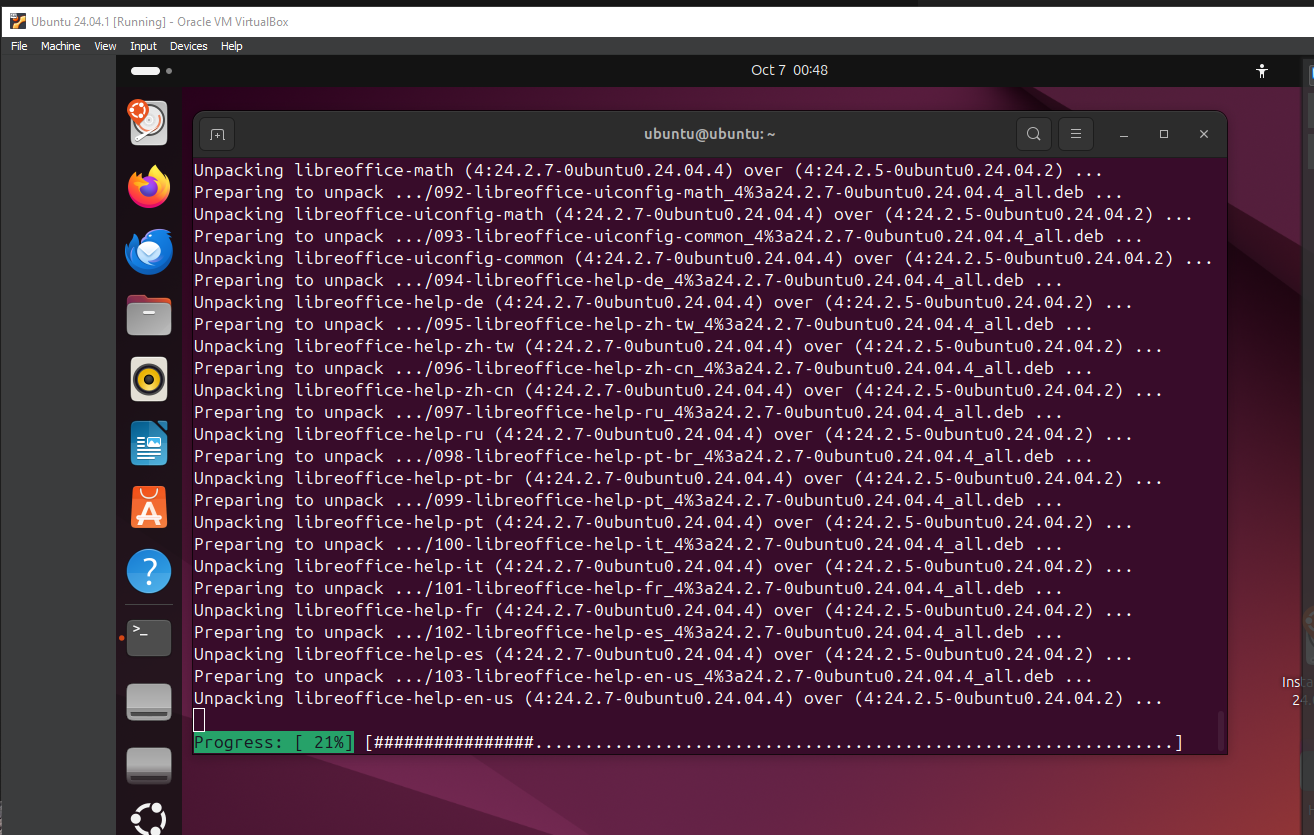
<p><img src="/assets/images/homelab-part-1/updating-packages.png" alt="Updating Packages" />
<em>Updating system packages before Docker installation</em></p>
<p>After logging out and back in for the group change to take effect, I verified Docker was working:</p>

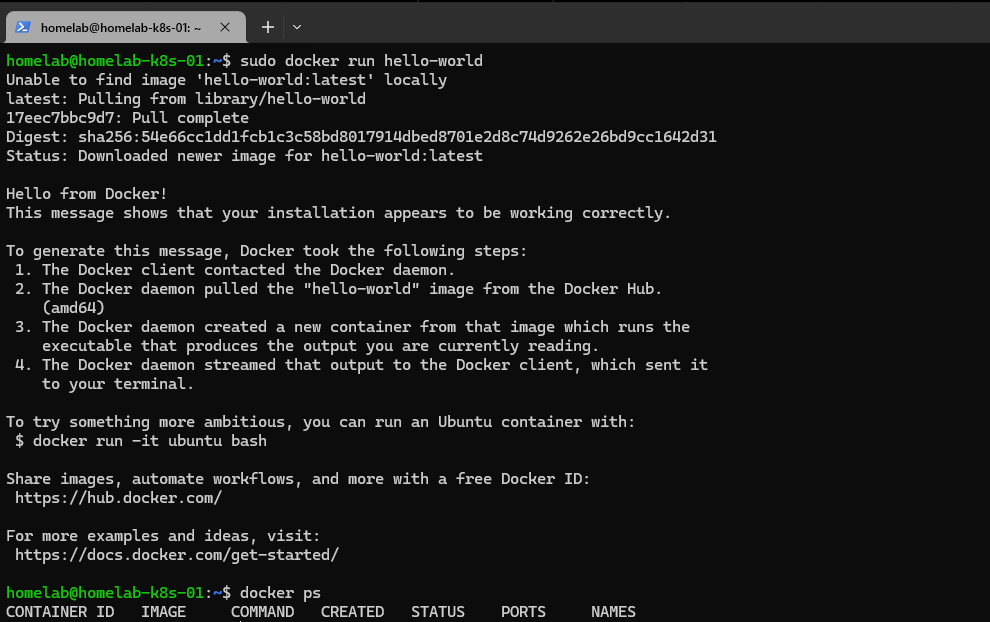
<div class="language-bash highlighter-rouge"><div class="highlight"><pre class="highlight"><code>docker run hello-world
</code></pre></div></div>

<p><img src="/assets/images/homelab-part-1/docker-hello-world.png" alt="Docker Hello World" />
<em>Verifying Docker installation with hello-world container</em></p>
<p>Seeing that “Hello from Docker!” message confirmed everything was working. Now for Docker Compose:</p>

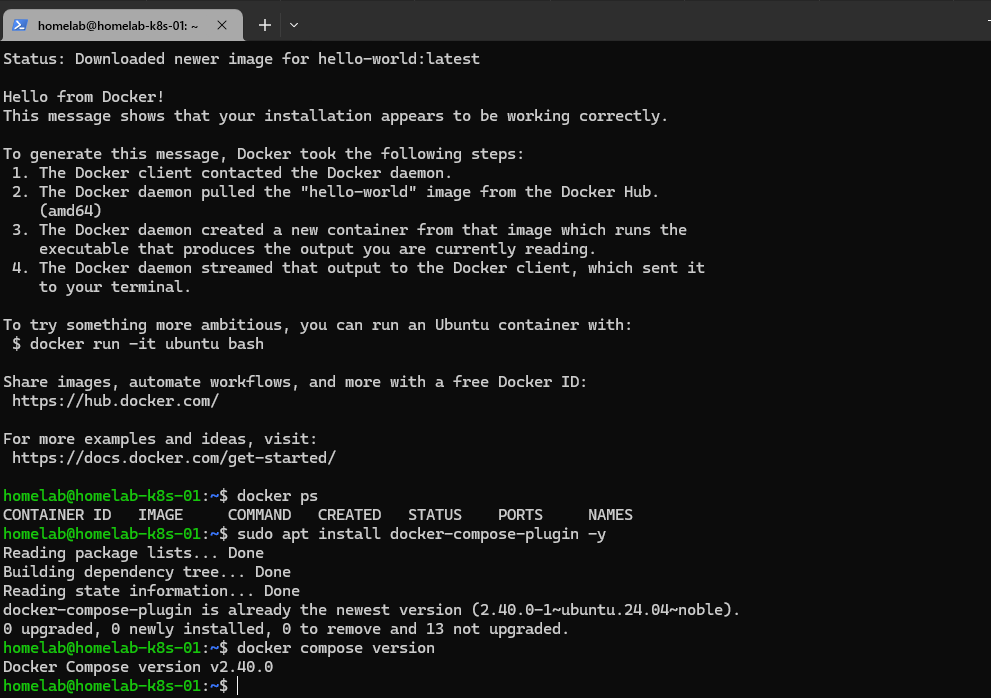
<div class="language-bash highlighter-rouge"><div class="highlight"><pre class="highlight"><code><span class="nb">sudo </span>apt <span class="nb">install </span>docker-compose-plugin <span class="nt">-y</span>
docker compose version
</code></pre></div></div>

<p><img src="/assets/images/homelab-part-1/docker-compose-install.png" alt="Docker Compose Installation" />
<em>Installing Docker Compose plugin</em></p>

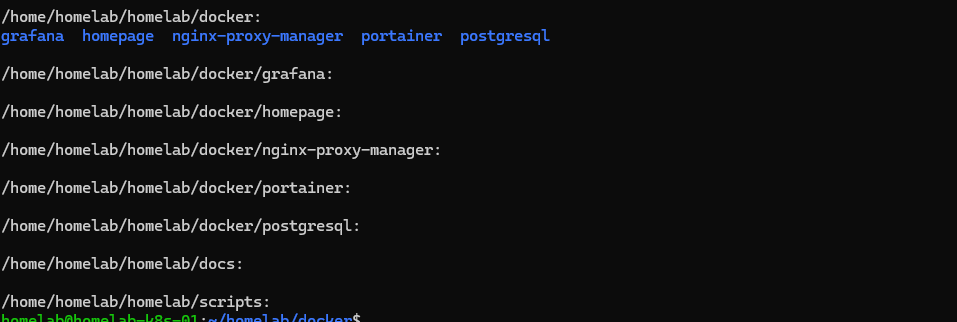
<h2 id="project-structure-organization-matters">Project Structure: Organization Matters</h2>

<p>Before deploying anything, I set up a clean directory structure. Each service would get its own folder with a <code class="language-plaintext highlighter-rouge">docker-compose.yml</code> file and any necessary configuration.</p>

<div class="language-bash highlighter-rouge"><div class="highlight"><pre class="highlight"><code><span class="nb">mkdir</span> <span class="nt">-p</span> ~/docker
<span class="nb">cd</span> ~/docker
</code></pre></div></div>

<p><img src="/assets/images/homelab-part-1/project-structure.png" alt="Project Structure" />
<em>Creating organized directory structure for Docker services</em></p>
<p>This might seem basic, but organization matters. When this grows to 10+ services, having a clear structure will keep things manageable. Each service is self-contained and easy to understand.</p>

<h2 id="first-container-portainer">First Container: Portainer</h2>

<p>For my first “real” service, I chose Portainer - a web UI for managing Docker containers. It would let me visualize what’s running, check logs, and manage resources without memorizing every Docker CLI command.</p>

<p>I created <code class="language-plaintext highlighter-rouge">~/docker/portainer/docker-compose.yml</code>:</p>

<div class="language-yaml highlighter-rouge"><div class="highlight"><pre class="highlight"><code><span class="na">version</span><span class="pi">:</span> <span class="s1">'</span><span class="s">3.8'</span>

<span class="na">services</span><span class="pi">:</span>
  <span class="na">portainer</span><span class="pi">:</span>
    <span class="na">image</span><span class="pi">:</span> <span class="s">portainer/portainer-ce:latest</span>
    <span class="na">container_name</span><span class="pi">:</span> <span class="s">portainer</span>
    <span class="na">restart</span><span class="pi">:</span> <span class="s">unless-stopped</span>
    <span class="na">ports</span><span class="pi">:</span>
      <span class="pi">-</span> <span class="s2">"</span><span class="s">9000:9000"</span>
      <span class="pi">-</span> <span class="s2">"</span><span class="s">9443:9443"</span>
    <span class="na">volumes</span><span class="pi">:</span>
      <span class="pi">-</span> <span class="s">/var/run/docker.sock:/var/run/docker.sock</span>
      <span class="pi">-</span> <span class="s">./data:/data</span>
</code></pre></div></div>

<p>Then deployed it:</p>

<div class="language-bash highlighter-rouge"><div class="highlight"><pre class="highlight"><code><span class="nb">cd</span> ~/docker/portainer
docker compose up <span class="nt">-d</span>
</code></pre></div></div>

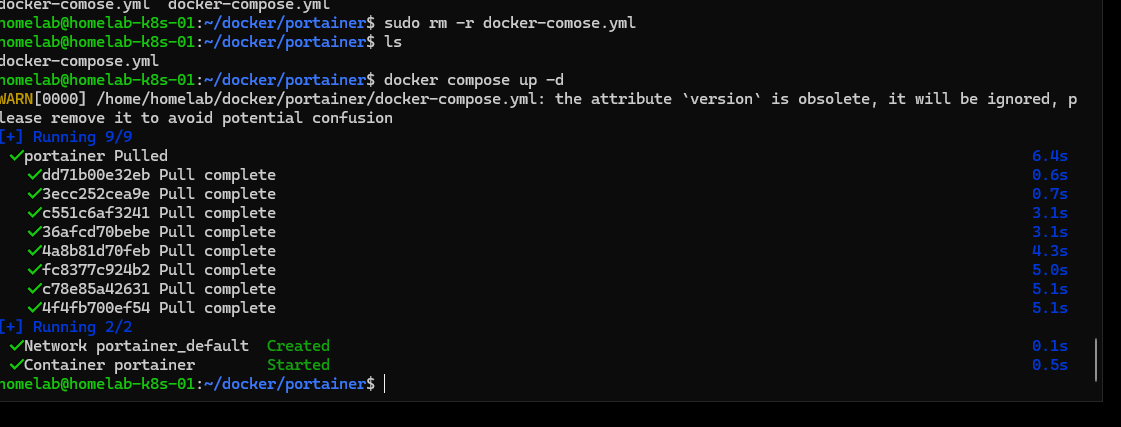
<p><img src="/assets/images/homelab-part-1/portainer-running.png" alt="Portainer Running" />
<em>First container successfully deployed</em></p>

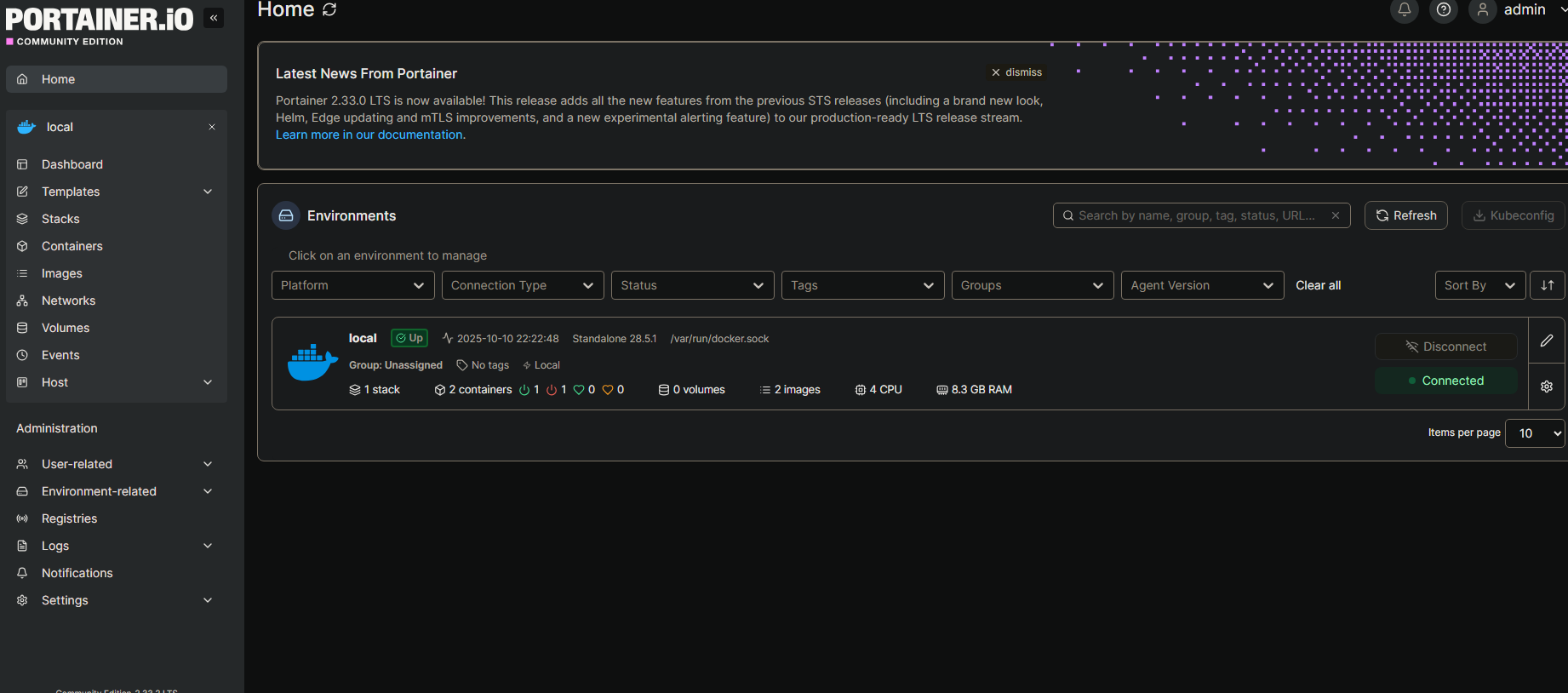
<p>Within seconds, Portainer was running. I opened my browser to <code class="language-plaintext highlighter-rouge">http://192.168.1.19:9000</code> and was greeted with the setup screen. Created an admin account, and I was in.</p>

<p><img src="/assets/images/homelab-part-1/portainer-dashboard.png" alt="Portainer Dashboard" />
<em>Portainer web interface managing Docker containers</em></p>

<p><strong>This was the moment it clicked.</strong> I had a real service running in a container, managed by code, accessible via browser. This was actual infrastructure.</p>

<h2 id="what-i-learned">What I Learned</h2>

<p><strong>Infrastructure as Code is powerful:</strong> That <code class="language-plaintext highlighter-rouge">docker-compose.yml</code> file is the entire configuration. I can version control it, share it, destroy it, and redeploy it identically in seconds.</p>

<p><strong>Start small, build up:</strong> I could have tried to deploy 10 services at once. Instead, I got one working properly, understood it, then moved on. Portainer taught me the workflow I’d use for every service after.</p>

<p><strong>Documentation matters:</strong> I took screenshots and notes as I went. Future me (and anyone reading this) would thank past me for that.</p>

<h2 id="whats-next">What’s Next</h2>

<p>Now that I have Docker running and Portainer managing containers, the next step is building out a service dashboard. I want a single Homepage that shows all my services, system stats, and gives me quick access to everything.</p>

<p>After that: Nginx Proxy Manager for reverse proxy, Grafana for monitoring, and PostgreSQL for database work.</p>

<p><strong>Full code for this project:</strong> <a href="https://github.com/artezchapman/docker-homelab">github.com/artezchapman/docker-homelab</a></p>

<hr />

<p><strong>Part 2</strong> coming soon: Building a custom Homepage dashboard and troubleshooting configuration issues.</p>

<hr />

<p><em>Have questions or suggestions? Find me on <a href="https://linkedin.com/in/artezchapman">LinkedIn</a> or check out the code on <a href="https://github.com/artezchapman/docker-homelab">GitHub</a>.</em></p>]]></content><author><name>Artez Chapman</name></author><category term="homelab" /><category term="docker" /><category term="infrastructure" /><summary type="html"><![CDATA[After seven years at Charter Communications, I got my first real exposure to cloud infrastructure and the services that power enterprise operations. Watching how deployed services scaled, how infrastructure was managed, and how monitoring kept everything running sparked something.]]></summary></entry></feed>