Building a DevOps Homelab Part 2: Homepage Dashboard - Building, Breaking, Deploying
With Portainer running, I needed a dashboard. I’m not remembering five different IP addresses and port combinations every time I want to check something.
Homepage seemed like the right tool - customizable, has system monitoring built in, integrates with Docker. Should be simple, right?
It wasn’t.
Why Homepage?
I had Portainer for container management. Plans to add Nginx, Grafana, PostgreSQL. Keeping track of everything across different ports was already getting annoying.
Homepage does what I need: service cards, system stats, Docker integration. Heimdall and Dashy exist, but Homepage’s monitoring capabilities made more sense for infrastructure work.
Initial Deployment
Checked that Portainer was still up, then created the compose file for Homepage.
~/docker/homepage/docker-compose.yml:
version: '3.8'

services:
  homepage:
    image: ghcr.io/gethomepage/homepage:latest
    container_name: homepage
    restart: unless-stopped
    ports:
      - "3000:3000"
    volumes:
      - ./config:/app/config
      - /var/run/docker.sock:/var/run/docker.sock:ro
    environment:
      - HOMEPAGE_ALLOWED_HOSTS=192.168.1.*
Spun it up:
cd ~/docker/homepage
docker compose up -d
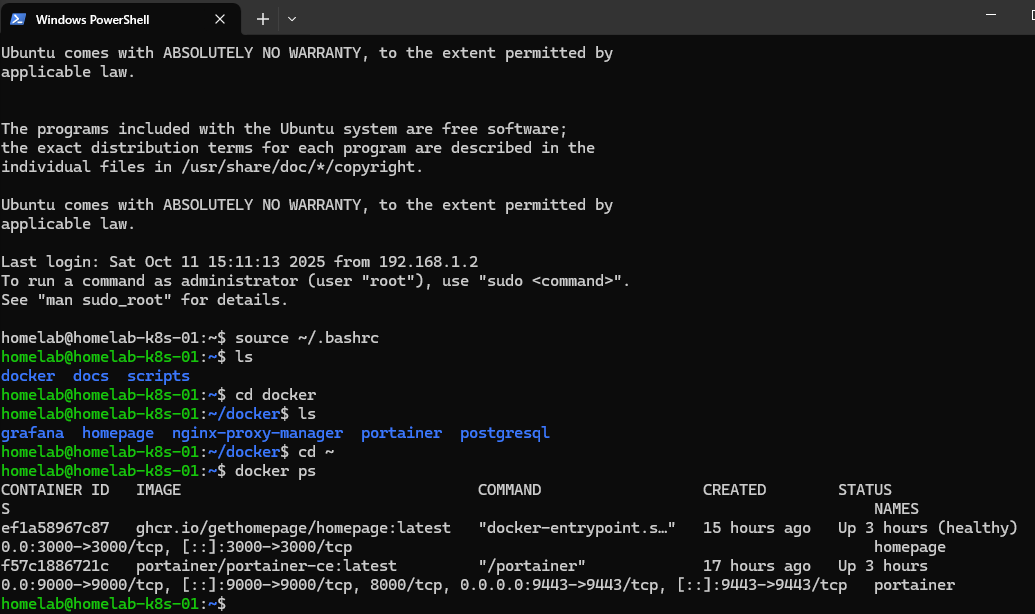 Both containers running
Both containers running. Opened http://192.168.1.19:3000.
Problem 1: No Config Files
Container started fine. Dashboard threw an error.
 Missing configuration error
The message was actually helpful - Homepage needs config files to know what to display. It wasn’t broken, just empty.
Building the Config
Homepage needs three YAML files:
settings.yaml- dashboard settingsservices.yaml- what services to showwidgets.yaml- system monitoring
Created the directory:
mkdir -p ~/docker/homepage/config
cd ~/docker/homepage/config
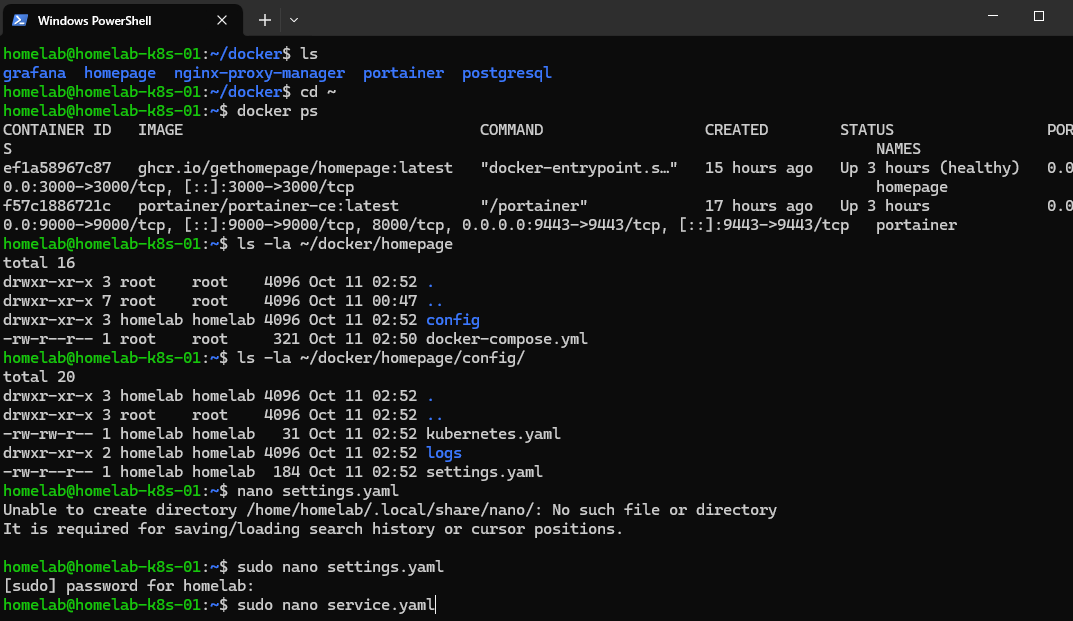 Setting up config directory
Settings
settings.yaml - kept it simple:
title: Homelab Dashboard
background: https://images.unsplash.com/photo-1451187580459-43490279c0fa?w=1920

layout:
  Containers:
    style: row
    columns: 3
Services
services.yaml - defined the service cards:
---
- Containers:
    - Portainer:
        icon: portainer.png
        href: http://192.168.1.19:9000
        description: Docker Management UI

    - Homepage:
        icon: homepage.png
        href: http://192.168.1.19:3000
        description: This Dashboard
Widgets
widgets.yaml - system stats:
---
- resources:
    cpu: true
    memory: true
    disk: /

- datetime:
    text_size: xl
    format:
      dateStyle: long
      timeStyle: short
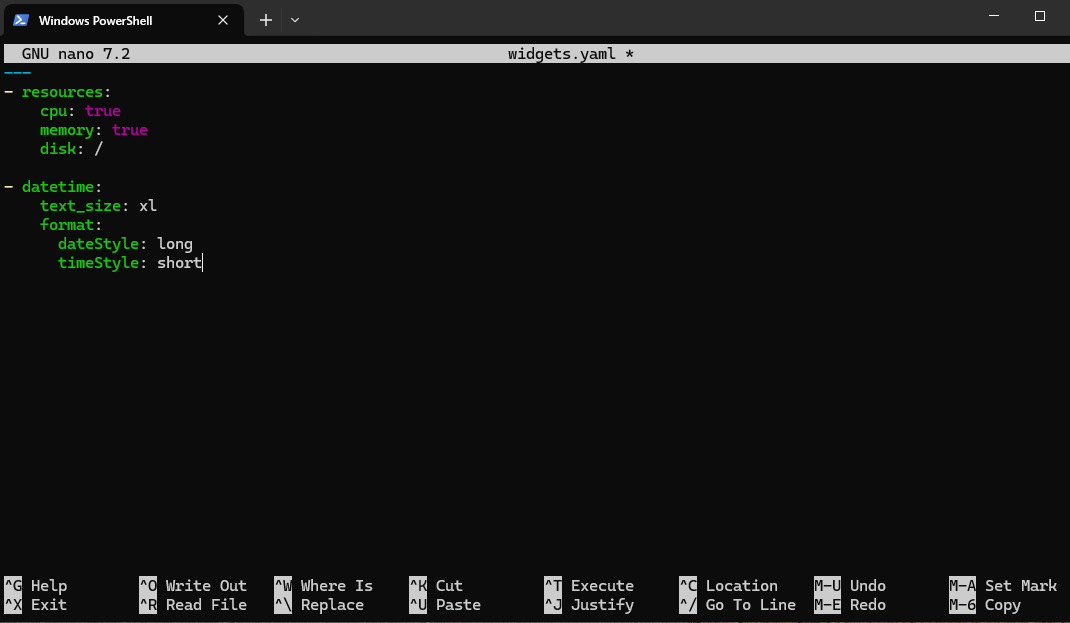 System monitoring widgets
Problem 2: Container Didn’t Care
Config files were there. Refreshed the browser. Same error.
The container was already running when I added the files. It needed a kick.
docker compose restart
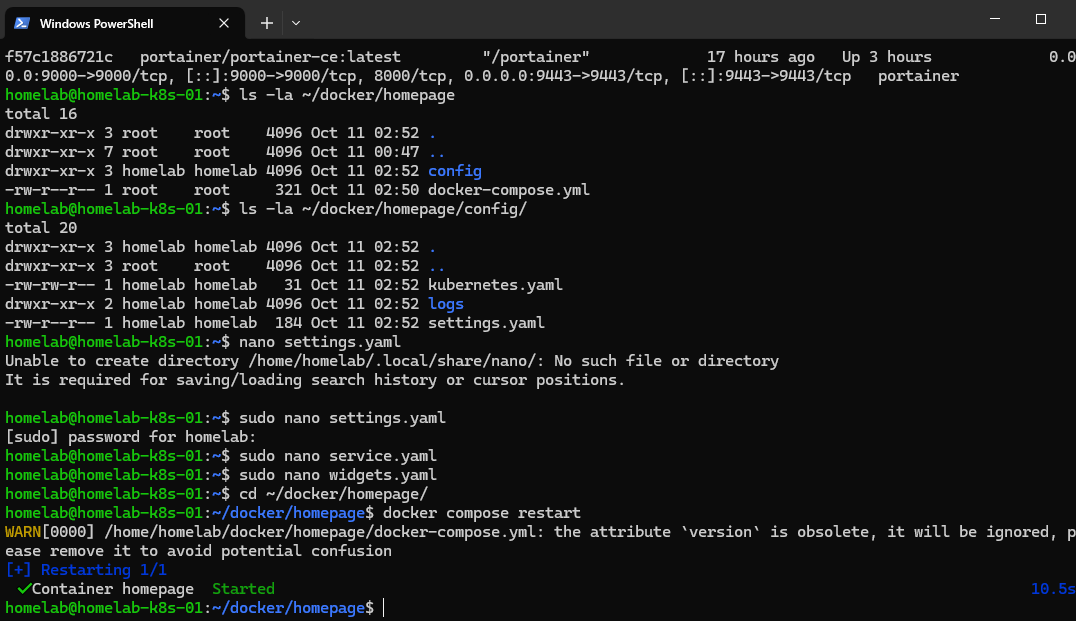 Restarting to load config
Refreshed again. Different error. Progress, but still broken.
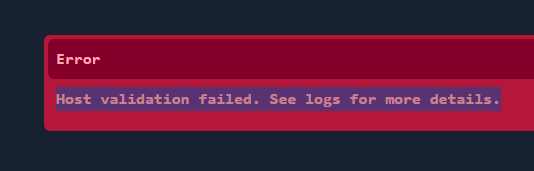 Different error after restart
Debugging YAML
Error pointed to syntax issues. YAML is picky about indentation - spaces vs tabs, nesting, structure.
Went through each file:
- Check indentation (spaces only)
- Verify nesting
- Match documentation examples
Found it - services.yaml had inconsistent spacing. Fixed it, tried again.
docker compose down
docker compose up -d
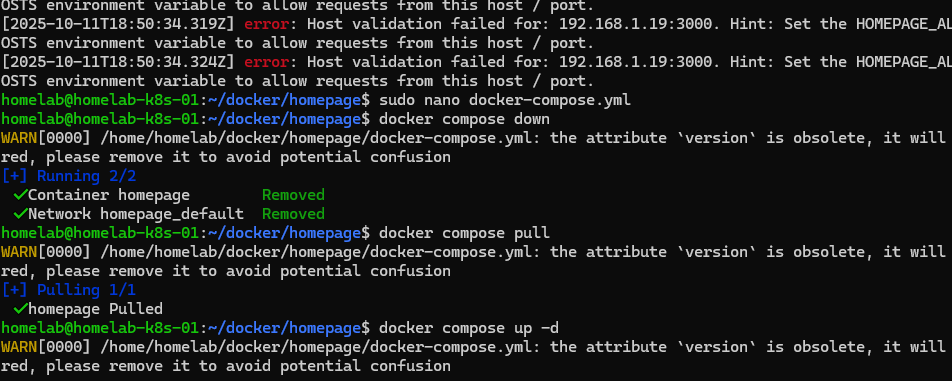 Multiple restarts during troubleshooting
Multiple restarts. Each time hoping this would be the one.
It Worked
After the third or fourth restart, the dashboard loaded.
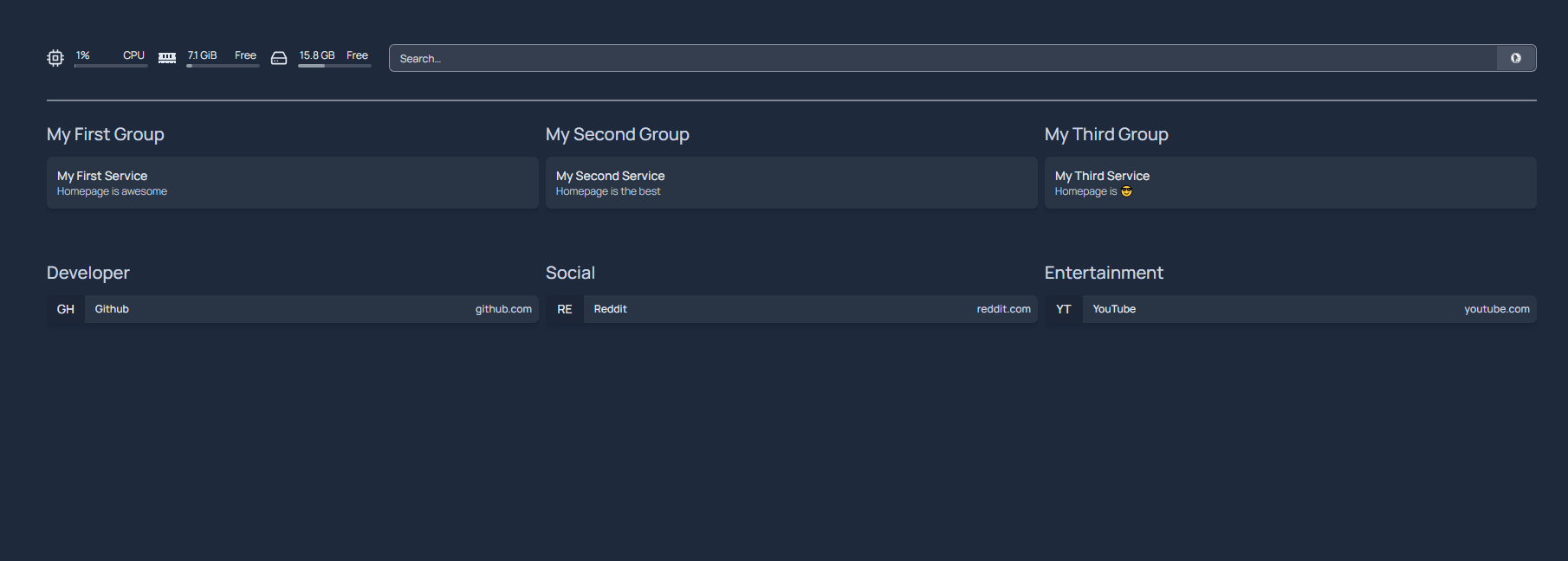 Dashboard finally loading
Clean interface, both services showing, system stats visible. Worth the troubleshooting.
Adding the Rest
With Homepage working, I deployed the other services. Nginx Proxy Manager for reverse proxy, Grafana for monitoring, PostgreSQL for database work.
Updated services.yaml after each deployment:
---
- Containers:
    - Portainer:
        icon: portainer.png
        href: http://192.168.1.19:9000
        description: Docker Management UI

    - Homepage:
        icon: homepage.png
        href: http://192.168.1.19:3000
        description: This Dashboard

    - Nginx Proxy Manager:
        icon: nginx-proxy-manager.png
        href: http://192.168.1.19:81
        description: Reverse Proxy & SSL

    - Grafana:
        icon: grafana.png
        href: http://192.168.1.19:3001
        description: Monitoring & Visualization

    - PostgreSQL:
        icon: postgres.png
        description: Database Server

- Links:
    - GitHub:
        icon: github.png
        href: https://github.com/artezchapman/docker-homelab
        description: Homelab Code

    - Blog:
        icon: web.png
        href: https://blog.artezchapman.com
        description: Technical Blog
Process for each:
- Deploy container
- Add to services.yaml
- Restart Homepage
- Verify card shows up
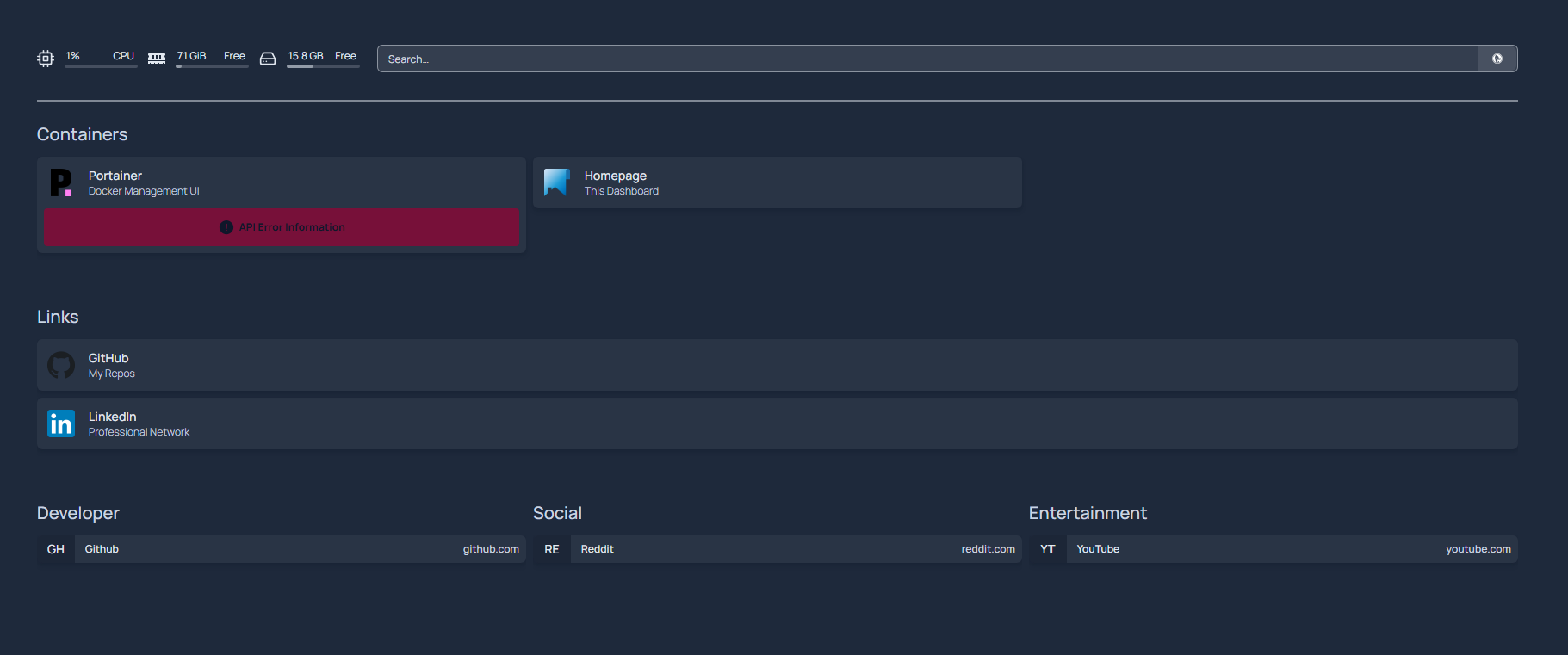 All five services on the dashboard
Five services, all managed from one dashboard.
What I Learned
Configuration as code works. Those three YAML files define everything. Version control them, back them up, deploy the exact setup elsewhere in minutes.
Errors teach more than docs. Reading about YAML structure is one thing. Debugging your own syntax errors actually teaches you how it works.
Fast iteration matters. Container restarts take seconds. Made troubleshooting tolerable instead of painful.
System monitoring isn’t optional. CPU, RAM, and disk stats visible on the dashboard made it immediately useful beyond just a link page.
Current Setup
The homelab structure:
~/docker/
├── portainer/
│   └── docker-compose.yml
├── homepage/
│   ├── docker-compose.yml
│   └── config/
│       ├── services.yaml
│       ├── settings.yaml
│       └── widgets.yaml
├── nginx-proxy-manager/
│   └── docker-compose.yml
├── grafana/
│   └── docker-compose.yml
└── postgresql/
    └── docker-compose.yml
Each service isolated. Start, stop, rebuild one without touching the others.
What’s Next
Foundation’s solid. Five services running, accessible through one dashboard.
Next: setting up Nginx for reverse proxy, building Grafana dashboards, connecting PostgreSQL. Making everything work together instead of just existing in parallel.
Real learning happens when things break and you have to fix them. Theory gets you started. Building and troubleshooting actually teaches you how infrastructure works.
Code: github.com/artezchapman/docker-homelab
Part 3 coming soon: Nginx reverse proxy, Grafana monitoring, and making all services work together.